Menu

Что такое «клики с конверсией»?

Что такое «клики с конверсией»?


  • Общее количество кликов, которые привели к конверсиям.
  • Отношение общего количества конверсий к общему количеству кликов.
  • Процент кликов, которые привели к конверсиям.
  • Общее количество кликов в выбранном периоде учета конверсий.

Conversion Tracking helps you improve the return on investment (ROI) from your online advertising because it:

Conversion Tracking helps you improve the return on investment (ROI) from your online advertising because it:

 A)  measures trends relating to the search terms people have used before seeing your ad

 B)  focuses on getting customers to complete an online purchase

 C)  shows you which ads lead to customer actions that have value for your business

 D)  automatically gives you personal details about the people who convert

Explanations:
ROI is the ratio of your net profit to your costs. It's typically the most important measurement for an advertiser because it's based on your specific advertising goals and shows the real effect your advertising efforts have on your business. The exact method you use to calculate ROI depends upon the goals of your campaign. With AdWords conversion tracking, you can see how effectively your ad clicks lead to valuable customer activity, such as website purchases, phone calls, app downloads, newsletter sign-ups, and more. Depending on the type of conversion you’re tracking, the setup process is different, so the first step in setting up conversion tracking is choosing a conversion source, or where your conversions come from.

Conversion tracking is a free tool that shows you what happens after a customer clicks on your ads — whether they purchased a product, signed up for your newsletter, called your business, or downloaded your app. When a customer completes an action that you’ve defined as valuable, these customer actions are called conversions.


Conversion tracking is a free tool that shows you what happens after a customer clicks on your ads -- whether they purchased a product, signed up for your newsletter, called your business, or downloaded your app. When a customer completes an action that you've defined as valuable, these customer actions are called conversions.
This article explains the benefits of conversion tracking, how it works, and our security and privacy standards. For setup instructions, see Set up conversion tracking.

Why use conversion tracking

  • See which keywords, ads, ad groups, and campaigns are best at driving valuable customer activity.
  • Understand your return on investment (ROI) and make better informed decisions about your ad spend.
  • Use Smart Bidding strategies (such as target CPA, enhanced CPC, and target ROAS) that automatically optimize your campaigns according to your business goals.
  • See how many customers may be interacting with your ads on one device or browser and converting on another. You can view cross-device, cross-browser, and other conversion data in your “All conversions” reporting column.

How conversion tracking works

Conversion tracking starts with you creating a conversion action in your AdWords account. A conversion action is a specific customer activity that is valuable to your business. You can use conversion tracking to track the following kinds of actions:
The conversion tracking process works a little differently for each conversion source, but for each type besides offline conversions, it tends to fall into one of these categories:
  • You add a conversion tracking tag, or code snippet, to your website or mobile app code. When a customer clicks on your ad from Google Search or selected Google Display Network sites, a temporary cookie is placed on their computer or mobile device. When they complete the action you defined, our system recognizes the cookie (through the code snippet you added), and we record a conversion.
  • Some kinds of conversion tracking don’t require a tag. For example, to track phone calls from call extensions or call-only ads, you use a Google forwarding number to track when the call came from one of your ads, and to track details like call duration, call start and end time, and caller area code. Also, app downloads and in-app purchases from Google Play will automatically be recorded as conversions, and no tracking code is needed.
Once you’ve set up conversion tracking, you can see data on conversions for your campaigns, ad groups, ads, and keywords. Viewing this data in your reports can help you understand how your advertising helps you achieve important goals for your business.

Security and privacy for website tracking

Google's security standards are strict. Only pages containing the Google conversion tag are tracked through this program. We use data encryption and secure servers.
Privacy is also very important to Google. That's why we do the following to protect your customers' privacy:
  • Conversion tracking cookies persist for a limited time only.
  • Conversions aren't isolated: This means that you can't match conversion data to specific customers, you can just see overall data for ads and keywords.
  • Conversion tracking includes the option to notify customers about cookies: During the setup process, we'll help you create a notification box for your website that lets your customers know they're being tracked. This is known as the Google Site Stats box, which appears on your conversion page -- the page customers see after they complete a conversion. Google Site StatsThis notification appears only for customers who've been referred by Google to your site on the same device. When customers click on it, they see a page explaining how we use cookies and how they can disable them. Customers will also have an opportunity to provide feedback about your website.
  • Promote a clear privacy policy: If you don't use the Google Sites Stats box, we ask that you review your website's privacy policy to make sure it discloses your use of tracking technology.

Tip

If you choose to use it, we recommend placing the Google Site Stats notification in the lower-right hand corner of the conversion page, no further than a quarter of the screen away from the last line of content.

You sell autographed sports memorabilia and want to reach people interested in sports. What's one benefit of promotion your products with a mobile apps campaign on the Display Network?

You sell autographed sports memorabilia and want to reach people interested in sports. What's one benefit of promotion your products with a mobile apps campaign on the Display Network?

 A)  It lets people who see your ad get directions to your store on Google Maps

 B)  It allows you to show your ad on app categories that you choose

 C)  It encourages people using mobile devices to install your app

 D)  It directs people to your online store to purchase your products

Explanation:


You can reach a growing audience of people using mobile phones and tablets by showing your ads in apps. Choose to let AdWords match your ad to apps for you through the Display Network, or target particular app categories.

Tip

In this article, we’re talking about advertising within apps to promote any product.

You can show ads in mobile apps through your Search Network with Display Select or Display Network campaigns.
  • If you want to experiment with advertising in mobile apps, simply track the performance of your ads that were placed in mobile apps through the Display Network. You don’t have to make any changes to do this: apps are part of the Display Network. Learn how to track the performance of ads in apps below under targeting apps through the Display Network below.
  • If you want to reach certain categories of apps, or if you know the apps you want to target, you should create a Display Network campaign devoted to mobile apps. Learn more about these campaigns below under reaching specific apps or app categories in the Display Network.
  • If you don’t want your ad to appear in apps:
    1. From the Display Network tab, go to "Campaign Exclusions."
    2. In the "Placements" section, paste adsenseformobileapps.com

Tip

In Display Network campaigns, if you want to exclude individual mobile apps rather than all mobile apps, you can use placement exclusions for mobile apps. Add these exclusions in the Display tab under "Ad group exclusions" or "Campaign exclusions".


Tracking the performance of your mobile app ads

To see which apps are showing your ad, go to the Display Network tab and choose Placements. You’ll see the app categories and apps you’ve chosen to place your ads there.
If you want to see the performance of apps within categories, click the checkbox next to the category name and use the See URL list drop-down menu above the table.

Which statistic indicates how often a click has led to a conversion?

Which statistic indicates how often a click has led to a conversion?

 A)  Cost-per-conversion

 B)  Clickthrough rate (CTR)

 C)  Conversion rate

 D)  Converted clicks

Explanation:
Conversion metrics are adjusted to reflect only the ad clicks that could have led to conversions


This article explains what conversion values are, the benefits of using them, and how they are reported. To set or edit conversion values or to change the currency in which your conversion values are reported, follow the steps in the article Set conversion values.
Not all conversions are equal — some are worth more to your business than others. If you assign values to your conversions, you'll be able to see the total value driven by your advertising across different conversions, rather than simply the number of conversions that have happened. And you'll be able to identify and focus on high-value conversions.
When you use conversion tracking, you can assign the same value to all conversions of a certain action or let each conversion have different values (transaction-specific).

Benefits

Conversion values help you track and optimize your campaigns' return on investment (ROI).
You can use the target return on ad spend (ROAS) bid strategy to help maximize your conversion value while averaging your target return on ad spend.
Here are some other benefits of using conversion values:
  • Better insight: You can measure the total conversion value generated by your campaigns' conversions. This also helps you track your campaigns' ROI by using the "Conversion value/cost" column. You can use this data to identify keywords, ad groups, and campaigns that show a high or low return on investment and manually change bids, budgets, and targeting.
  • Smarter bidding: Once you set up conversion values, you can use the target return on ad spend (ROAS) bid strategy. Automated bid strategies automatically set bids to optimize for your performance goals across specific campaigns, ad groups, and keywords. With target ROAS, AdWords will set maximum cost-per-click (max. CPC) bids to maximize your conversion value, while trying to achieve an average return on ad spend (ROAS) equal to your target.

About conversions with the same value

For some conversions, the value can be kept the same. You might want to use conversion values that are the same if you are tracking several conversion actions. You can capture separate values that way, say for phone calls and sign-ups. Seeing the separate values allows for useful comparisons between two different conversion actions. If you value calls at $5 and sign-ups at $20, this means you value your sign-ups four times more than calls.
Other examples of actions that customers take that could be valuable to your business: form submits, price quotes, arranging test drives, callback requests or looking up a store location.

About transaction-specific conversion values

A transaction-specific value is one that could be different each time the same conversion happens. If you own an online store with a shopping cart, for example, one purchase conversion might be worth $25, while another is worth $500.
You might want to use transaction-specific conversion values for your business if each of your sales has a different conversion value and you'd like to:
  • Track and optimize your campaigns' return on investment
  • Use Smart Bidding strategies, such as target return on ad spend (ROAS). We recommend you select "Every" in your conversion counting settings if this is the case. If you select "One," only one value is counted, even if a customer converts more than once.

Requirements

Setting up a transaction-specific value requires the support of a web developer, someone who can integrate transaction-specific values with the google_conversion_value variable within the conversion tracking tag.

Set up transaction-specific values

To set up transaction-specific values, follow the steps in this article on Tracking transaction-specific conversion values.

Find conversion values in reports

Once you've set up conversion tracking, you'll have access to conversion value data, like the sum of all conversion values for all your conversions. To see all your conversion value data at-a-glance, you'll need to add columns to your statistics table.
To add conversion value columns, follow the steps in Use columns to find specific performance data. For information about the columns that are available, see Understand your conversion tracking data.

Conversion value currency

Conversion values will always be reported to you in your AdWords billing currency. However, you can assign a different currency to the value of each conversion.

Conversion value currency for cross-account conversion tracking

If you use cross-account conversion tracking — managed in a manager account (MCC) — with multiple AdWords accounts, the conversion values will use the currency of the manager account unless you specify a different currency with the default value or provide a currency code in the conversion tag. However, if the AdWords account driving a click that converts has a different billing currency, the conversion value will be converted to that account's currency using the average daily foreign exchange rate.

Example

Your manager account's default currency is British Pounds. You created a conversion action you've valued at £10. Someone clicks an ad served by a managed account with a default currency of Euros and completes a conversion action. The current exchange rate is £1 = €1.19. In the managed account, we'll show a conversion value of €11.90. The conversion value will still be shown as £10 in the manager account.

Tracking conversions without a monetary value

If you're tracking conversion actions without a real monetary value but still want a way to measure relative values of different conversion actions, you can choose not to assign a currency. These values are often referred to as "key performance indicators" or "KPIs." Even if your tag includes a currency code, it will be ignored if you've selected no currency for the default value of that conversion action. This lets you control whether your conversion values are measuring monetary values or KPIs without updating the conversion tracking tag on your site.

Example

You have an email sign-up form on your website, and prefer not to assign a monetary value to sign-ups, but still want to assign a numerical value to them. You create a conversion action and assign a value of "2" to each sign-up, and choose "No currency set." In your reports, you'll see a value of "2" regardless of your account's billing currency or any currency code sent in the tag.
If a conversion action in your manager account has no currency assigned to the value, we won't do any foreign exchange conversion, regardless of the account currency of the AdWords account that gets credit for the conversion.

Values and bidding strategies

Once you set up your conversion values, you'll be able to use the target return on ad spend (ROAS) automated bid strategy. Automated bid strategies automatically set bids to optimize for your performance goals. To help improve your performance, target ROAS incorporates real-time details such as device, browser, location, and time of day to adjust your bids during each ad auction.
Target ROAS maximizes your conversion value, while trying to reach an average return on ad spend that you set. In other words, it's the average conversion value (for example, revenue) that you'd like to get for each dollar you spend on ads.
You might want to use target ROAS when you value individual conversions or conversion actions differently and want to meet a target return on ad spend. Learn more about target ROAS and how to set it up.

Your ad can show on the Search Network when someone searches for terms that are similar to your:

Your ad can show on the Search Network when someone searches for terms that are similar to your:

 A)  Keywords

 B)  Placements

 C)  Website

 D)  Ad text

Explanations:
Keywords are words or phrases that are used to match your ads with the terms people are searching for. Selecting high quality, relevant keywords for your advertising campaign can help you reach the customers you want, when you want.
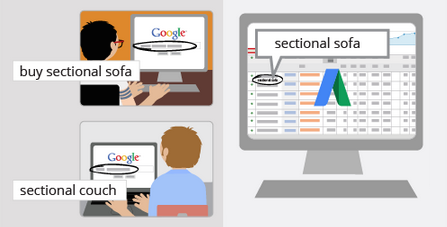
When someone searches on Google, your ad could be eligible to appear based on the similarity of your keywords to the person’s search terms, as well as your keyword match types. Keywords are also used to match your ad to sites in the Google Network that are related to your keywords and ads.


Words or phrases describing your product or service that you choose to help determine when and where your ad can appear.
  • The keywords you choose are used to show your ads to people. Select high-quality, relevant keywords for your ad campaign to help you reach only the most interested people, who are more likely to become your customers.
  • When someone searches on Google, your ad could be eligible to appear based on the similarity of your keywords to the person's search terms, as well as your keyword match types. Keywords are also used to match your ad to sites in the Google Network that are related to your keywords and ads.

    Keywords
  • A great keyword list can help improve the performance of your ads and help you to avoid higher prices. Poor keywords can ultimately cause you to have higher prices and lower ad position.
  • You can add match types to your keywords to help control which searches your ad can be matched with.

You would choose to advertise on the Display Network if you wanted to:

You would choose to advertise on the Display Network if you wanted to:

 A)  show ads to people on non-Google search sites

 B)  show ads on Google Maps

 C)  show ads on websites related to your business

 D)  show ads on Google Shopping

Explanation:


Locations on the Display Network where your ad can appear. Examples include relevant websites and apps that partner with Google to show ads.
  • Display Network placement can refer to several things, such as an entire website, a subset of a website (such as specific pages from that site), an individual ad unit positioned on a single page, a video, a mobile phone app, and more.
  • You can choose specific locations by adding managed placements. You can also let Google choose relevant automatic placements for you based on your keywords or other targeting methods.

What's the easiest way to evaluate if one version of your landing page performs better than another for the same ad?

What's the easiest way to evaluate if one version of your landing page performs better than another for the same ad?

 A)  Replace the existing landing page with the new one and compare this month's data to last month's

 B)  Replace the existing landing page with the new landing page and compare the two ad groups

 C)  Create another ad group for the new landing page and compare the two ad groups

 D)  Create another campaign for the new landing page and compare the two campaigns

Explanations:
You can run one experiment per campaign at a time, testing the performance of different keywords, ads, and ad groups. Your experiment can include existing keywords, ads and ad groups, new keywords, or both. When you set up your experiment, you can choose how long you want it to run and what percentage of searches will see your experimental changes. Whether you want your experiment to start on a scheduled date or start manually is up to you.

AdWords Campaign Experiments allow you to test changes to your account on a portion of the auctions that your ads participate in.


AdWords Campaign Experiments (ACE) are no longer supported
On February 1, 2017, AdWords Campaign Experiments was replaced by campaign drafts and experiments to give you a more powerful way to test changes to your AdWords campaigns, measure results, and apply the changes that are working well for your business.
Drafts and experiments let you propose and test changes to your Search and Display Network campaigns. You can use drafts to prepare multiple changes to a campaign. From there, you can either apply your draft’s changes back to the original campaign or use your draft to create an experiment. Experiments help you measure your results to understand the impact of your changes before you apply them to a campaign.
This article explains how campaign drafts and experiments work so you can decide whether they fit into your overall advertising strategy.

Example

Anthony helps run the advertising efforts for a medium-sized clothing company. His boss suggests that he try a new strategy for their search ads, and he'd like Anthony to show him the proposed changes before they are put into effect. Anthony creates a draft of an existing campaign in his company’s AdWords account. The draft lets him make changes at the campaign level before applying them to a campaign. After Anthony finishes making his changes in the draft, he shows them to his boss, who approves them. From there, he applies the draft back to the original campaign.
Next quarter, Anthony and his boss decide they want to change the bids for their campaign but they want to be confident these changes will improve performance. Anthony creates another draft with the bid changes and runs a month long experiment to test these changes against the original campaign. After measuring the experiment’s results at the end of the month, Anthony finds that his bid changes performed positively, so he applies his experiment to the original campaign.

How campaign drafts work

Drafts let you prepare multiple changes to a campaign without impacting its performance. When you create a draft, you’re mirroring your campaign’s setup. From there, you can make updates to your draft just as you would in a normal campaign. At any point, you can leave and return to your draft to make additional changes to it, or discard the draft altogether.
After you’ve finished drafting your changes, you can apply your draft to the original campaign or create an experiment to test how your changes perform against your original campaign.

Some features and reports aren't available for drafts. These include the following:

  • Dimensions tab
  • Ad schedule report
  • Category & Search terms
  • Auction Insights
  • Display Placements report
  • Scheduled email reports
  • Bid landscapes
  • Ad customizers that use "Target campaign" or "Target ad group"
  • Keyword diagnosis
  • Some automated bid strategies:
    • Target search page location
    • Target outranking share
    • Target return on ad spend (ROAS)

How campaign experiments work

After you’ve finished a draft, instead of applying your changes to your original campaign, you can convert your draft to an experiment. As you set up your experiment, you can specify how long you’d like it to run and how much of your original campaign’s traffic (and budget) you’d like it to use.
When a potential customer performs a search on Google or a search partner website, or loads a webpage on the Display Network we'll randomly make either your original campaign or your experiment active for the auction, depending on how you’ve split the traffic share between your campaign and your experiment.
As your experiment runs, you can monitor and compare its performance against your original campaign or change the dates of your experiment to end it early. If your experiment performs better than your original campaign, you may consider applying your experiment to the original campaign. You also have the option of converting your experiment into a new campaign with the same dates and budget as your original campaign and pausing your original campaign. Note that while you can have multiple drafts for a given campaign, only one of those drafts can run as an experiment at a time.

Features that aren’t supported by experiments

Experiments generally support the same features as campaigns, with a few exceptions:
  • Ad customizers that use "Target campaign" or "Target ad group"
  • Some automated strategies:
    • Target search page location
    • Target outranking share
    • Target return on ad spend (ROAS)
  • You won’t be able to create experiments on campaigns that have shared budgets. 

In order to appeal to customers on mobile devices, it's important to:

In order to appeal to customers on mobile devices, it's important to:

 A)  Send users to a video-based landing page

 B)  Send users to a mobile-friendly landing page

 C)  Avoid using ad extensions

 D)  include your phone number as your display URL

Explanations:
When creating a mobile website use strategies that make the most of the size of mobile screens and how people use their phones. These strategies can help make sure your mobile site offers a great experience for customers and helps them accomplish their goals on your site. In turn, this means better business for you

People seeing your ads on mobile are more likely to want to know where you are, or to call you. Show your location and phone number with location extensions and call extensions. Also, consider creating ads devoted to people on mobile devices, using the mobile version of your website as a landing page, and offering specials suited to a mobile audience. Keep in mind, your text ads can appear differently on mobile.


To effectively reach potential customers, your text ads should be specific, relevant, attractive, and empowering. This article shares best practices for writing successful text ads and common mistakes to avoid.
 
 
Highlight what makes you unique
Free shipping? Dazzling variety? Tell people! Showcase the products, services, or offers that make you competitive.
Include prices, promotions, and exclusives
People often use Google search to make a decision about something. Give them what they need to decide. If you have a limited-time discount or stock an exclusive product, say so.
Empower customers to take action
Are you selling something? Tell people what they can buy. Are you offering a service? Tell people how to contact you. Calls to action like purchasecall todayorderbrowsesign up, or get a quote make clear what the next steps are.
Include at least one of your keywords
Keywords in your ad text show your ad’s relevance to what people want. For example, if you've included digital cameras as a keyword, your ad headline could be "Buy Digital Cameras." Learn how to build the best keyword list.
Match your ad to your landing page
Have a look at the page that you're linking to from your ad (the landing page), and make sure that the promotions or products in your ad are included there. People might leave your website if they don’t find what they expect.
Appeal to customers on mobile
People seeing your ads on mobile are more likely to want to know where you are, or to call you. Show your location and phone number with location extensions and call extensions. Also, consider creating ads devoted to people on mobile devices, using the mobile version of your website as a landing page, and offering specials suited to a mobile audience. Keep in mind, your text ads can appear differently on mobile.

See how your site scores on mobile speed, and get quick fixes to improve it. Test your site.

Experiment
Create three to four ads for each ad group, and use different messages for each to see which does the best. AdWords rotates ads automatically to show the best-performing ads more often. Learn more about ad rotation.

Check for common ad text mistakes
In order to make sure all AdWords ads are high quality, every ad must meet high professional and editorial standards. That means no  extra    spaces, sTrAnGe CAPITALIZATION, or unclear URLs, to name a few.